
Inventory - Optional Module
Whether you need help keeping up with a growing inventory, or have multiple warehouses and need comprehensive inventory control software, one of our three tiers of inventory control will meet your needs.
Three Levels of Inventory
Save money by purchasing the level that is appropriate for your needs.
Stock vs Project Inventory
Keep up with your stock inventory items and those that have been purchased for a specific project.
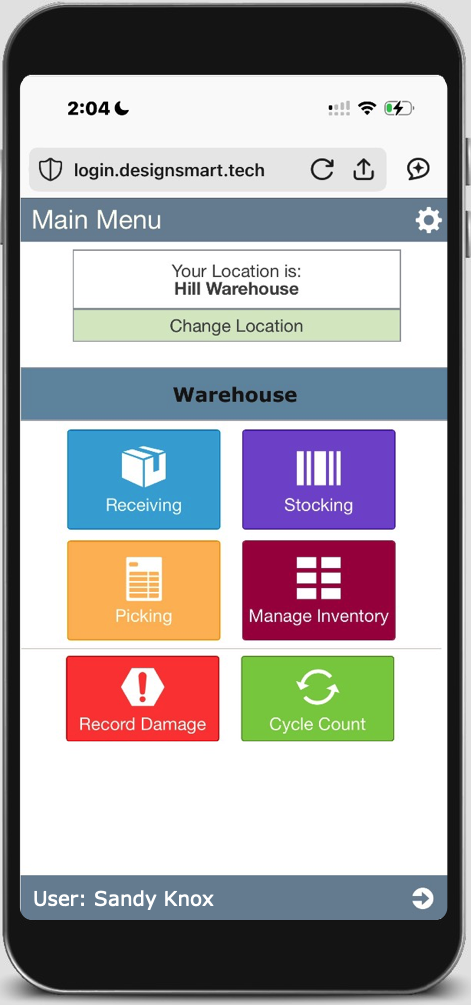
Mobile App
Empower warehouse staff with the technology they need to management inventory.
Add Inventory to Proposals
Add inventory items to proposals quickly and easily.
Real Time Quantities
See in real time what inventory is available for projects.
Priceless Price Tags
Let your retail customers scan QR codes to see pricing. This makes changing pricing a breeze.
Compare Features
| Features | Entry Level | Retail Level | Advanced Level |
|---|---|---|---|
| Web-based inventory management. | ✅ | ✅ | ✅ |
| Integrated with DesignSmart | ✅ | ✅ | ✅ |
| Integrated with QuickBooks (Desktop and Online) | ✅ | ✅ | ✅ |
| Works with pass-through inventory | ✅ | ✅ | ✅ |
| Works with stock inventory | ✅ | ✅ | ✅ |
| One level of inventory locations | ✅ | ✅ | – |
| Three levels of inventory locations | ❌ | ❌ | ✅ |
| Limited barcode printing | ✅ | ✅ | ✅ |
| Advanced barcode printing | ❌ | ✅ | ✅ |
| Receiving/Stocking/Pick Lists via desktop | ✅ | ✅ | ✅ |
| Receiving/Stocking/Pick Lists on mobile | ❌ | ✅ | ✅ |
| Report historical inventory levels | ✅ | ✅ | ✅ |
| Customizable Export to Excel | ✅ | ✅ | ✅ |
| Cycle Counts on paper | ✅ | ✅ | ✅ |
| Cycle Counts on a mobile device | ❌ | ✅ | ✅ |
| Annual Inventory Counts on paper | ✅ | ✅ | ✅ |
| Annual Inventory Counts on a mobile device | ❌ | ✅ | ✅ |
| Barcode scanning on a desktop computer | ✅ | ✅ | ✅ |
| “POS Lite” via mobile device | ❌ | ✅ | ✅ |
| Client Loans via a mobile device | ❌ | ✅ | ✅ |
| Number of licenses included | 1 | 1 | 3 |
Frequently Asked Questions
What is the best way to learn about the inventory module?
The fact is that inventory is not a simple topic. Even our Entry Level system could take more Questions & Answers than you’d want to read. So we recommend that you reach out to us so we can schedule a call. Not only will you get your questions answered about our inventory system, we’ll also be able to learn what your inventory needs are. To get started, simply click here and fill out the form.
What bar coding equipment does the system require?
There are a lot of possibilities, but here is a list of some common options.
Mobile Device
- You can use an iPhone or Android device
Bar Code Scanner
- We recommend a scanner that attaches to your mobile device
Bar Code Printer
- You can use any Zebra compatible printer. We recommend the USB versions as they are much more affordable.
What is difference between "advanced" and "limited" bar code printing"?
Advanced bar code printing refers to the ability to have an unlimited selection of predefined bar code labels available at the time of printing. With limited printing you only have 1 bar code label in the system that you can print.